Case study 01 / 06 · Studio usestudio.app · founding beta · 2026 · free to start

Studio

The depth of a dozen tools. The simplicity of one. We built the workspace a small organization runs on: people, money, events and the work.

Visit usestudio.app →
Services
Brand, product, web and mobile apps
Year
2026
Platforms
Web, iOS, Android, kiosk
Pricing
Free, Pro $49/mo
my.usestudio.app
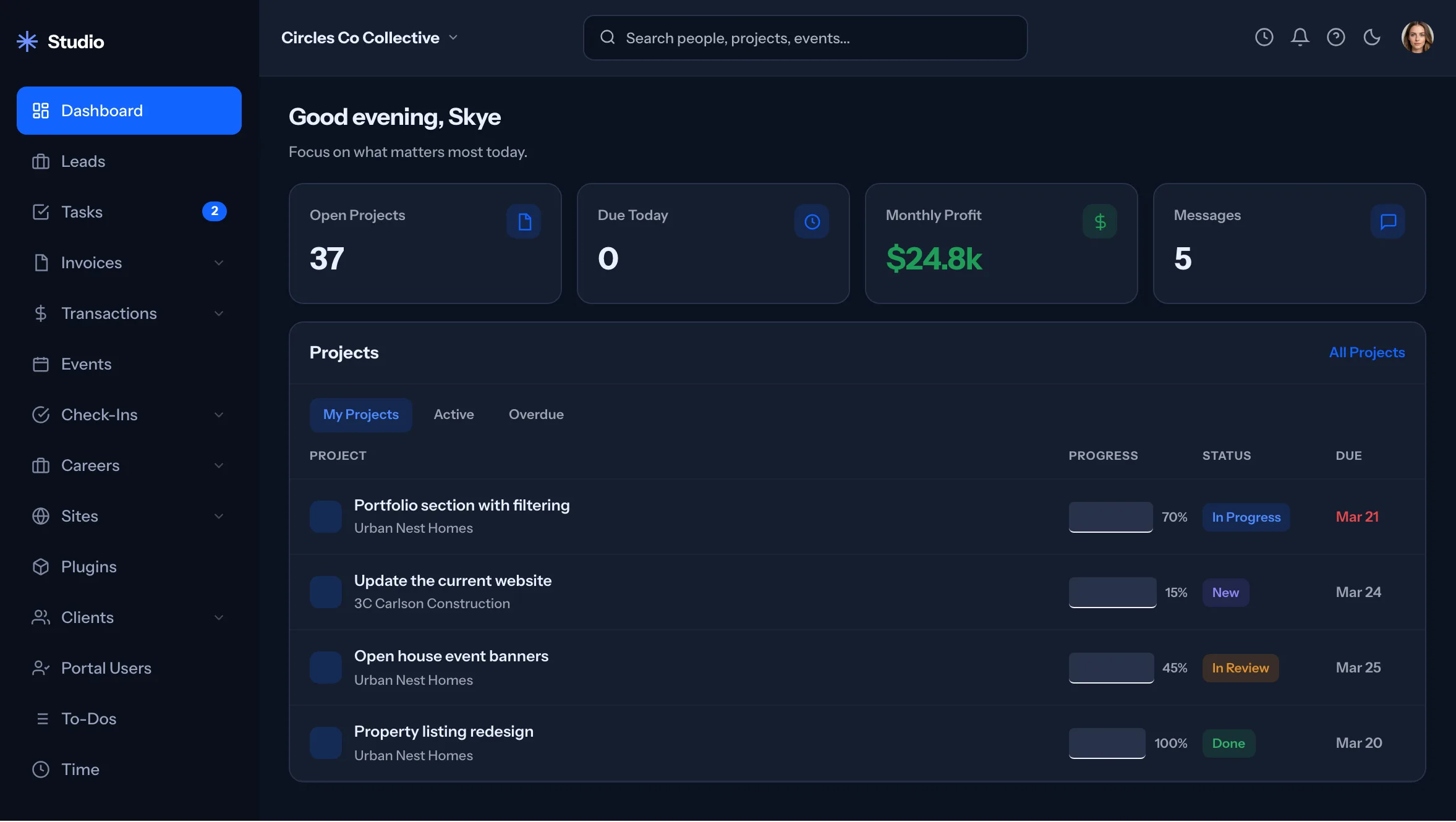
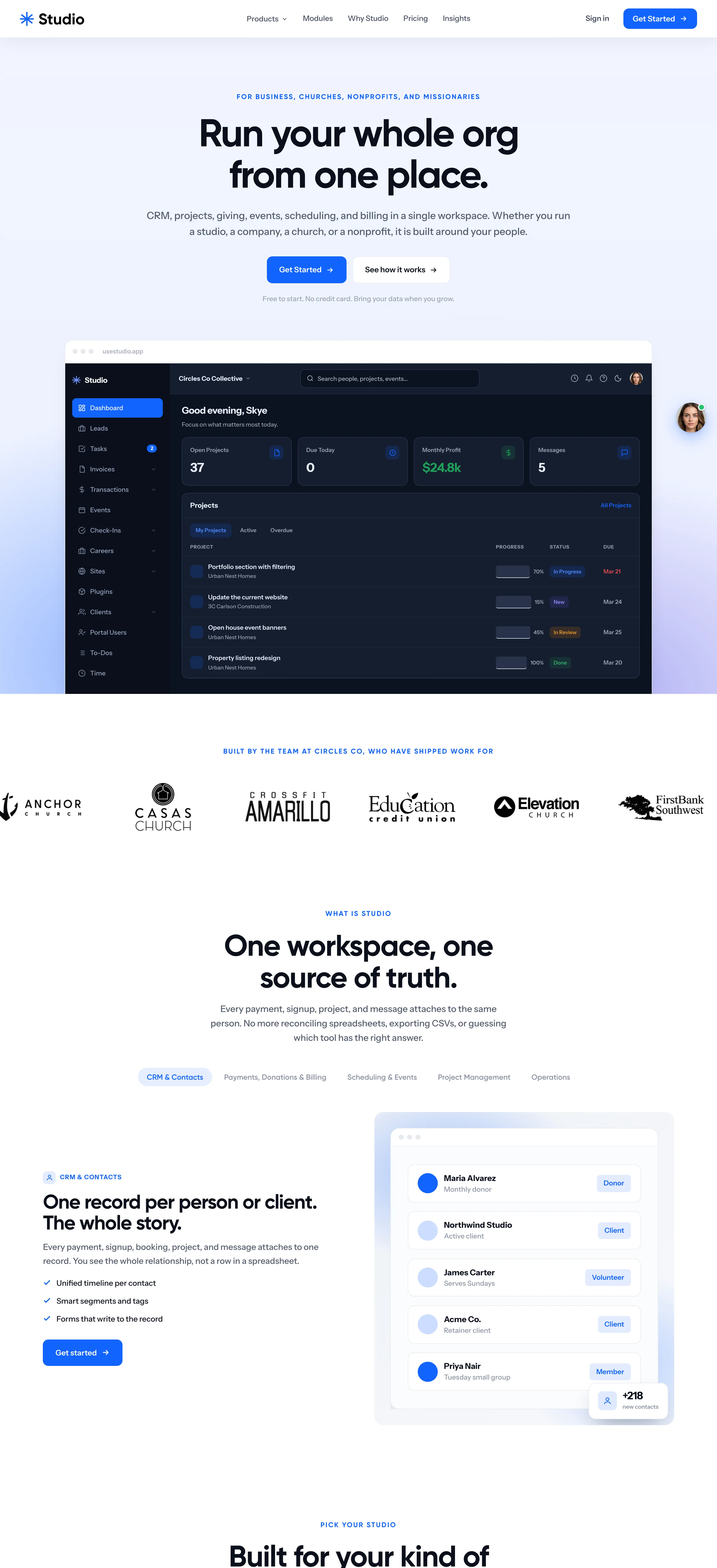
Studio dashboard in dark mode: open projects, due today, monthly profit, the projects table
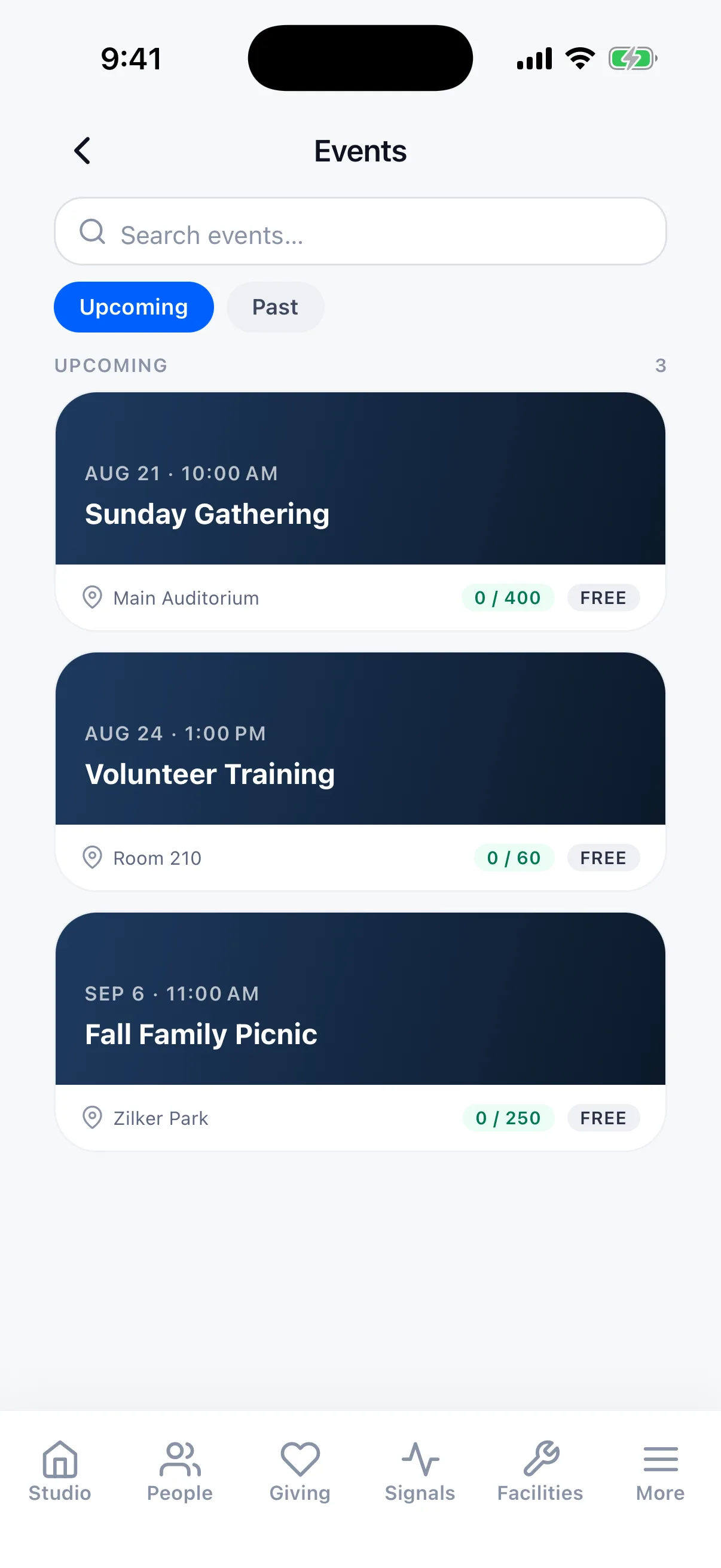
Studio for iPhone: the events list
Open Projects0
Due Today0
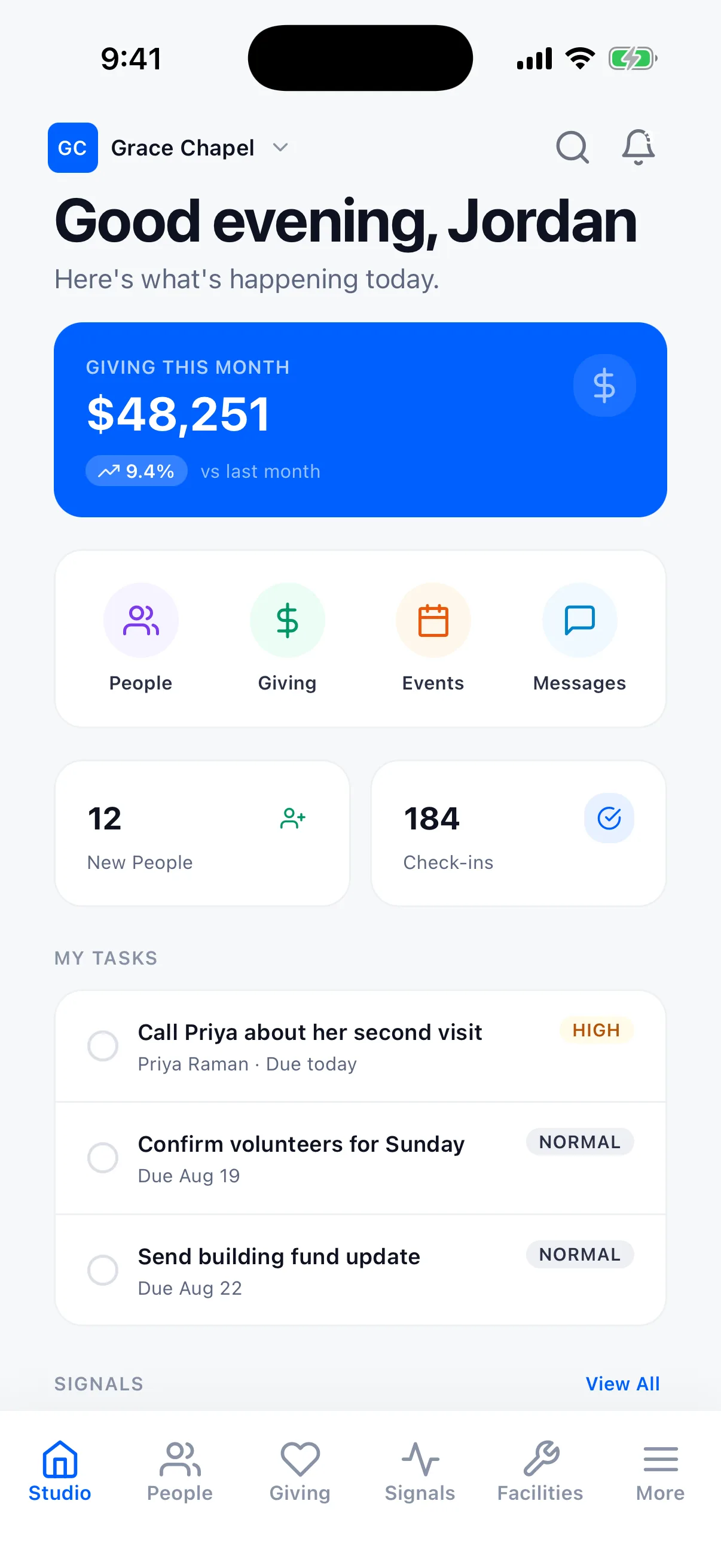
Call Priya about her second visitPriya Raman · Due todayHigh
Confirm volunteers for SundayDue Aug 19Normal
Send building fund updateDue Aug 22Normal
Monthly Profit$24.8k

my.usestudio.app · the dashboard, darkStudio for iPhone · eventsreal screens · live components

Summary

Studio puts a whole organization in one workspace: people, projects, time and invoices, giving, events and check-in, scheduling, email, forms and the website. It started in March 2026 as the tool we ran our own agency on. We designed it, built it and host it, and it is now open to founding testers in four editions.

The challenge

An agency on six subscriptions that did not talk to each other.

"I built Studio because I was running an agency out of six subscriptions that did not talk to each other. Every hour spent keeping tools in sync is an hour not spent on the work. That is the whole pitch."

Ismael Burciaga, founder, on usestudio.app

The same stack shows up in every small organization with different logos. An agency runs a project tool and a billing tool. A church adds a church management system and a giving platform. A nonprofit adds a donor database and a ticketing site for the gala. Each tool keeps its own copy of the same person, and nobody sees the whole record.

Studio began as an internal tool for our own client websites: the site list, plugin deploys, monitoring. Project management, a client portal and ticketing followed within days, and by April the whole thing had moved from WordPress to Laravel.


The approach

One record of each person. Every module writes to it.

  1. 01
    The person record came first.

    Giving, events, projects, invoices and messages attach to the same people, so turning on a module never creates a second list. Thirteen tools sit in the "one login replaces" band on the homepage, and that is the measure we hold the product to.

  2. 02
    Editions, not plans.

    Craft for agencies and freelancers, Faith for churches, Cause for nonprofits, Missions for missionaries raising support, plus standalone Events and Give. Same workspace, different words and defaults.

  3. 03
    Configuration is data.

    Plans, prices and modules are rows in Studio Admin, never hardcoded. One question, one answer, in one place.

  4. 04
    Their money, their Stripe.

    Payments run through Stripe Connect into each organization's own Stripe account, so Studio never holds the money. Authorize.net and QuickBooks Payments connect too, at their own rates, with no markup.

  5. 05
    One AI add-on, one tool layer.

    Skye, the built-in assistant and website concierge, and MCP, which connects the customer's own AI, run on the same 400+ tools with the same permissions, approvals and audit log. Every change asks for confirmation in the chat first.

Branda blue asterisk for a product that joins things
Studio logo: a blue asterisk and the word StudioLogo on canvas #F2F5F9
Type specimen · Studio's own face

One login replaces all of these.

Studio mark on white Studio mark on Studio blue Studio mark on night The asterisk: eight arms meeting in one point.

Studio blue #0060FF on a cool canvas, and a dark mode for the people who live in the dashboard all day. Instrument Sans is set the same way on the site, the phone and the kiosk, tight for headlines and open in the app, so a church volunteer and an agency owner read the same product.

Componentsreal UI, rebuilt in code

The kit behind the screens.

One set of parts across the web app, the phone app, the kiosk and usestudio.app: the same blue, the same radius, the same pill. Every piece here is rebuilt in code from the real screens: live, resizable, nothing invented.

Tokenscolor

Studio blue#0060FF Night#0A0F1B Card#151E2F Canvas#F2F5F9

TypeInstrument Sans

AaGood evening, Skye. Focus on what matters most today.Instrument Sans · 400 to 700 · site, app and kiosk

Buttonsusestudio.app

Status pillsdashboard

In ProgressNewIn ReviewDone
70%
15%
45%
100%

Badgespeople

DonorClientVolunteerMemberOpen
CRM & ContactsNew Lead
UpcomingPast

Navigationweb app

My ProjectsActiveOverdue

Tabs and segmentsusestudio.app

CraftFaithCauseMissionsEventsGiveMealsRally
Craft 24Faith 34Cause 28Missions 20Events 16Give 15All 36
DonationsEventsMembershipsInvoices

Inputssearch

Search people, projects, events...
Search events...

TilesiPhone

PeopleGivingEventsMessages
0New People
0Check-ins
Giving this month$09.4%vs last month

List rowspeople · tasks

Maria AlvarezMonthly donorDonor
Northwind StudioActive clientClient
James CarterServes SundaysVolunteer
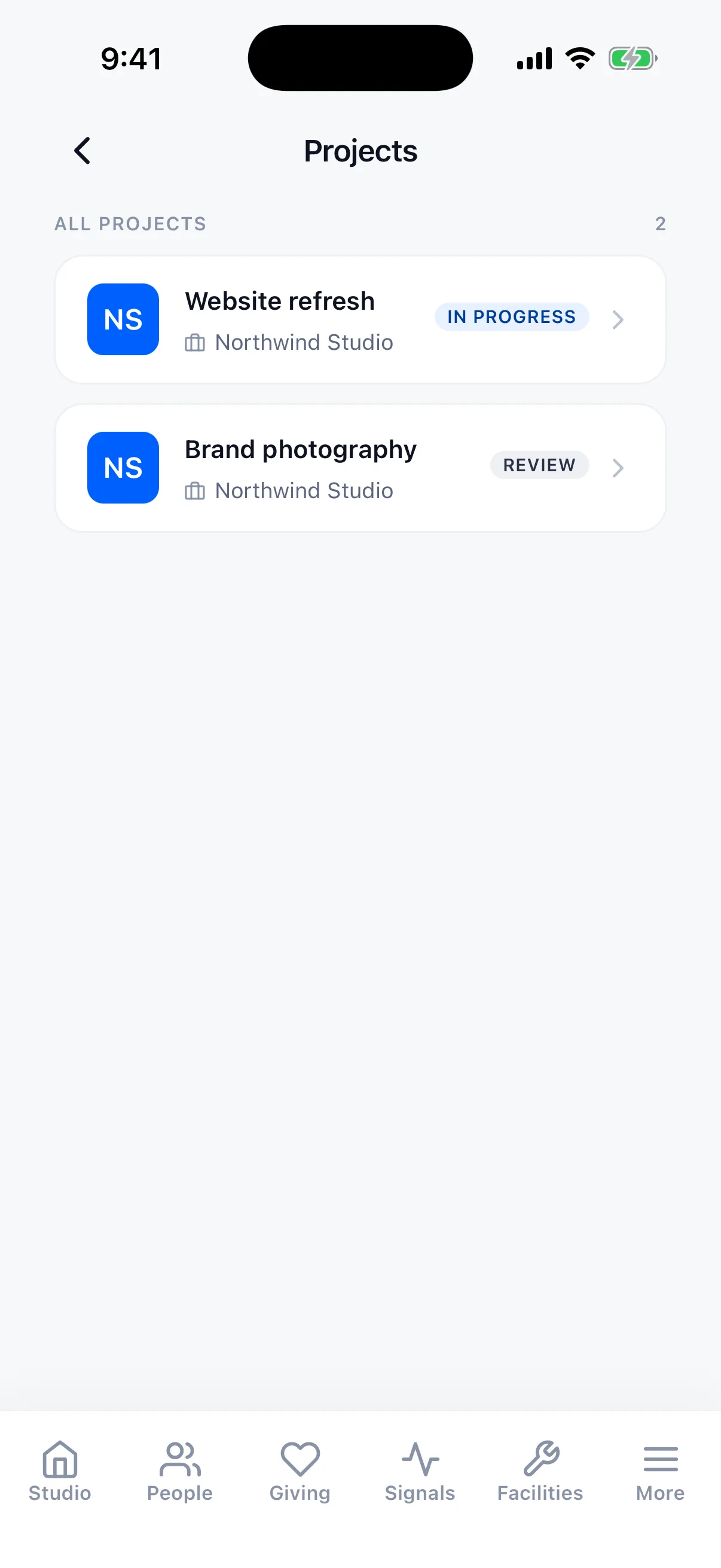
NSWebsite refresh Northwind StudioIn progress
NSBrand photography Northwind StudioReview

Cardsevents · pricing

Aug 21 · 10:00 AM
Sunday Gathering
Main Auditorium0 / 400Free
Pro
Growing teams
Most popular
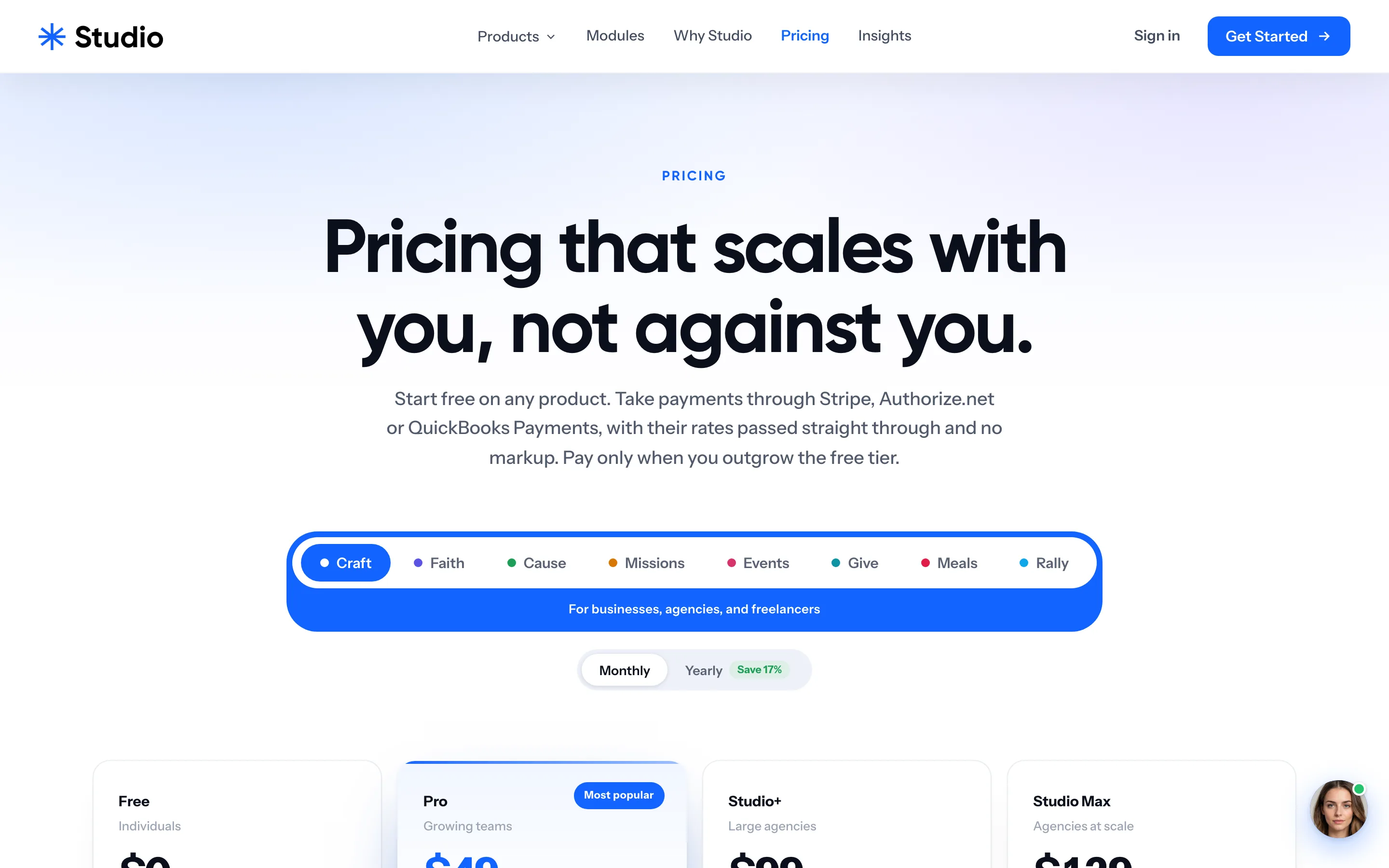
$49/mo
10 team seats25 clientsUnlimited projectsFacilities (1 location)250 GB storage
Choose Pro

Tab bariPhone

PrintedStations

Adrian
MillerGeneral
G3GPeanuts
Sunday Service · 9:30 AM
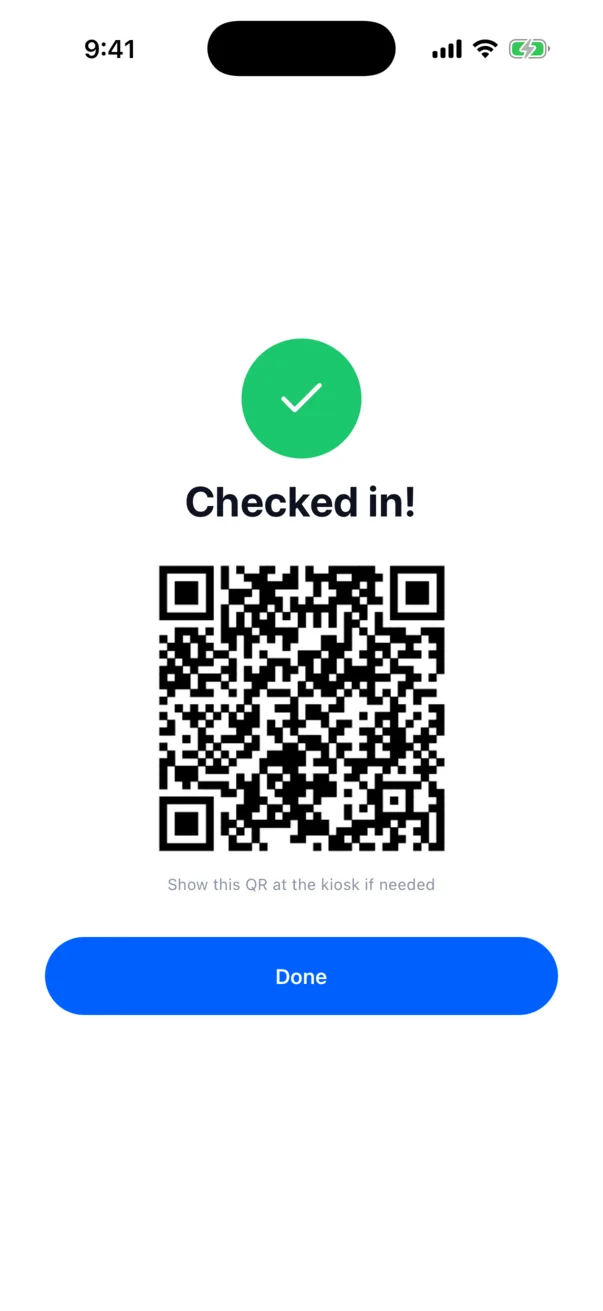
Checked In!

Your security code is

G3G

ChatSkye

SkyeStudio Concierge

Hey, I'm Skye. I'll ask a few quick things so I can point you in the right direction.

What can I help you with?

What is Studio?How much does it cost?Can I keep my own Stripe?Schedule a call
Ask about Studio...

Modules and editionsusestudio.app

For Businesses
Studio Craft

See how Studio works for small businesses, agencies, consultants, and freelancers.

Learn more
People CRMThe spine of every record.
EventsRegistration, ticketing, check-in.
Stripe takes$3.20
Studio takes, 0.5%$0.50
Screens14 real screens · usestudio.app and Studio for iPhone
usestudio.app
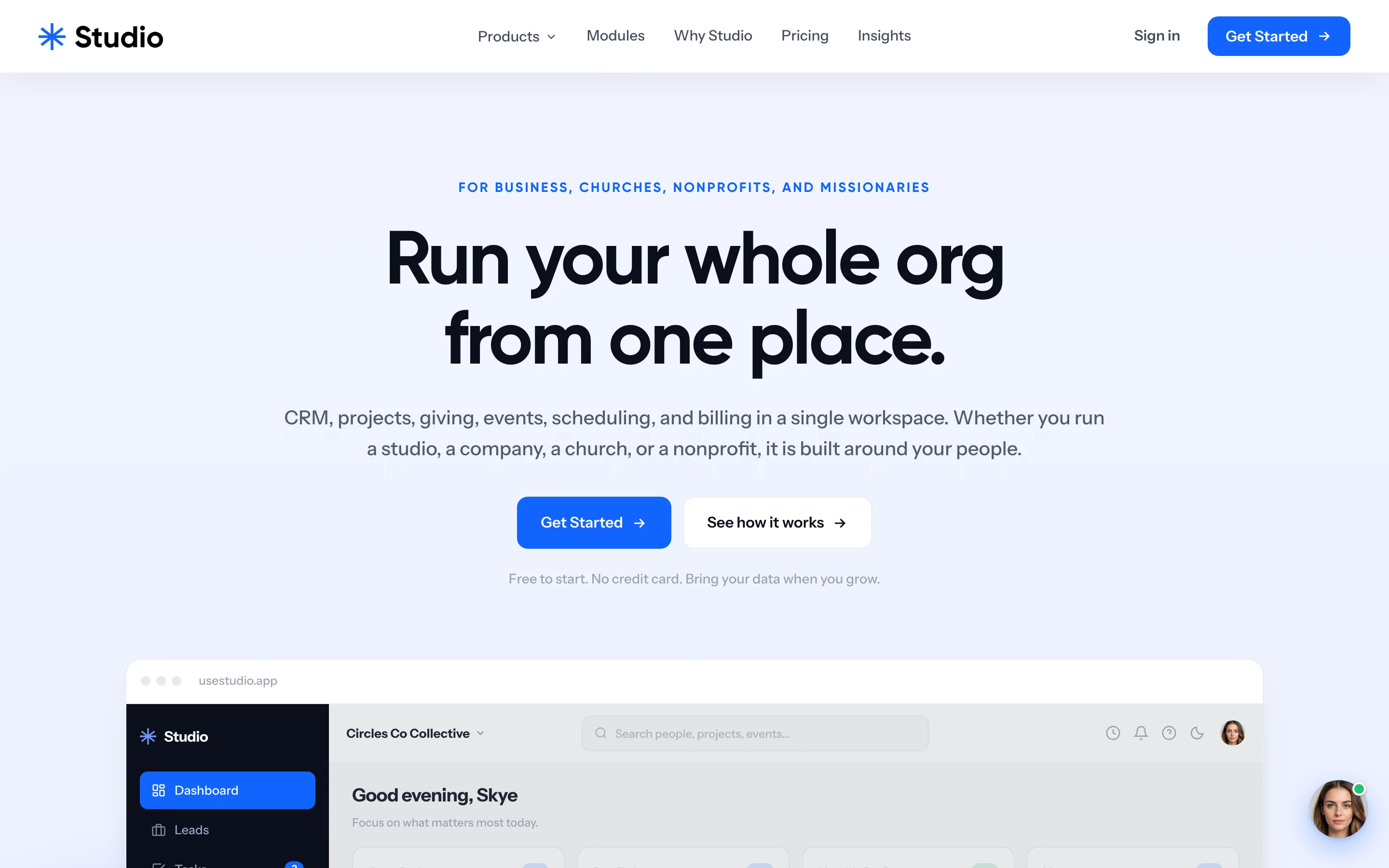
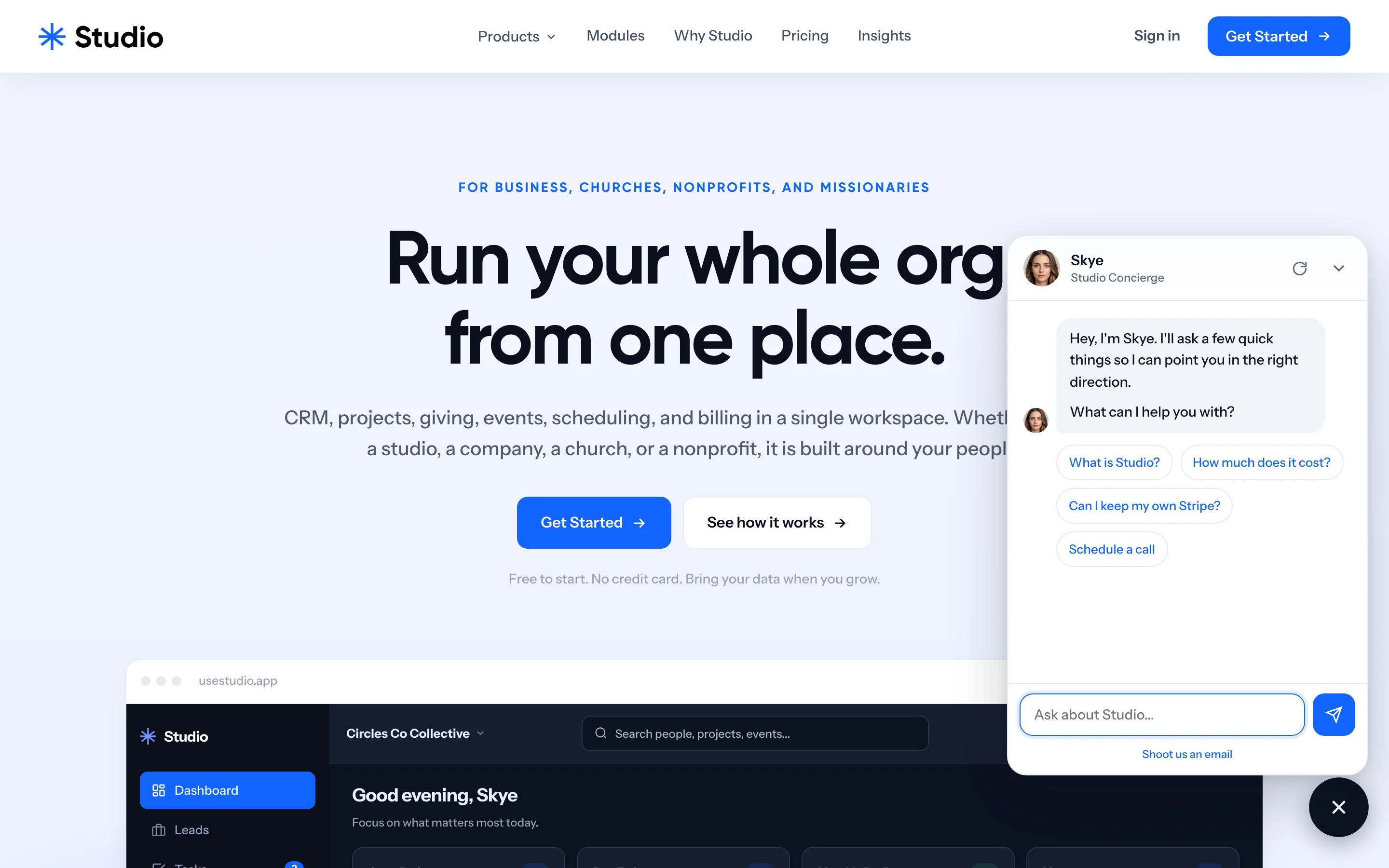
usestudio.app home
Workspace home on iPhone
Projects on iPhone
usestudio.app/pricing
Pricing
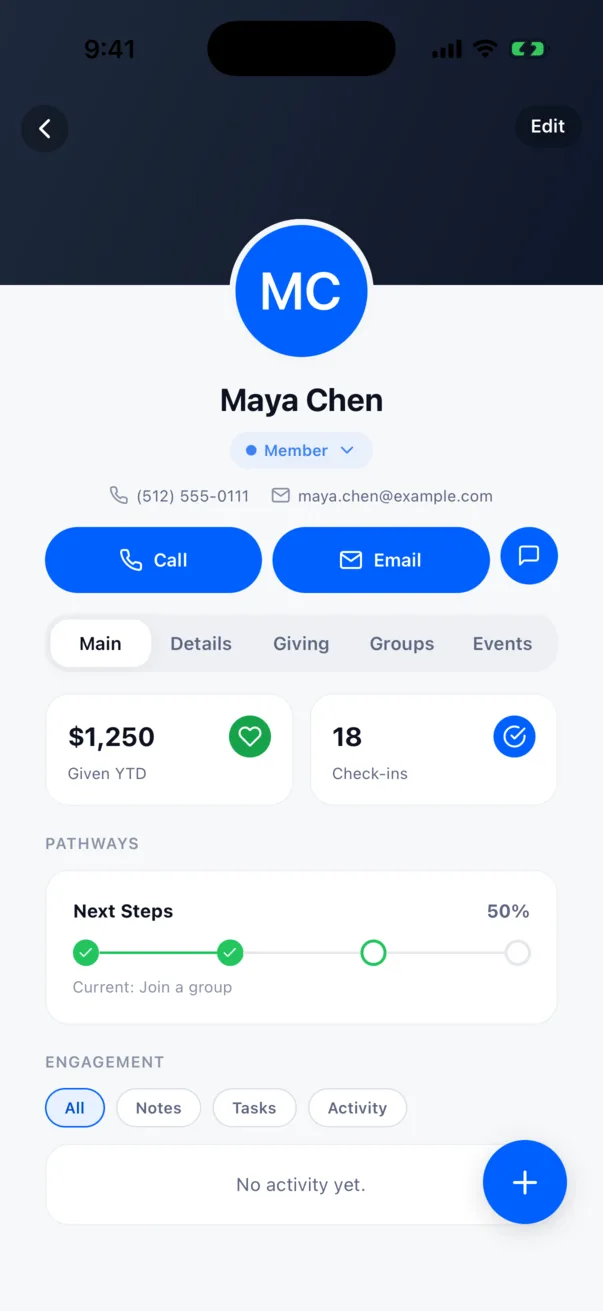
A person record on iPhone
Family check-in QR on iPhone
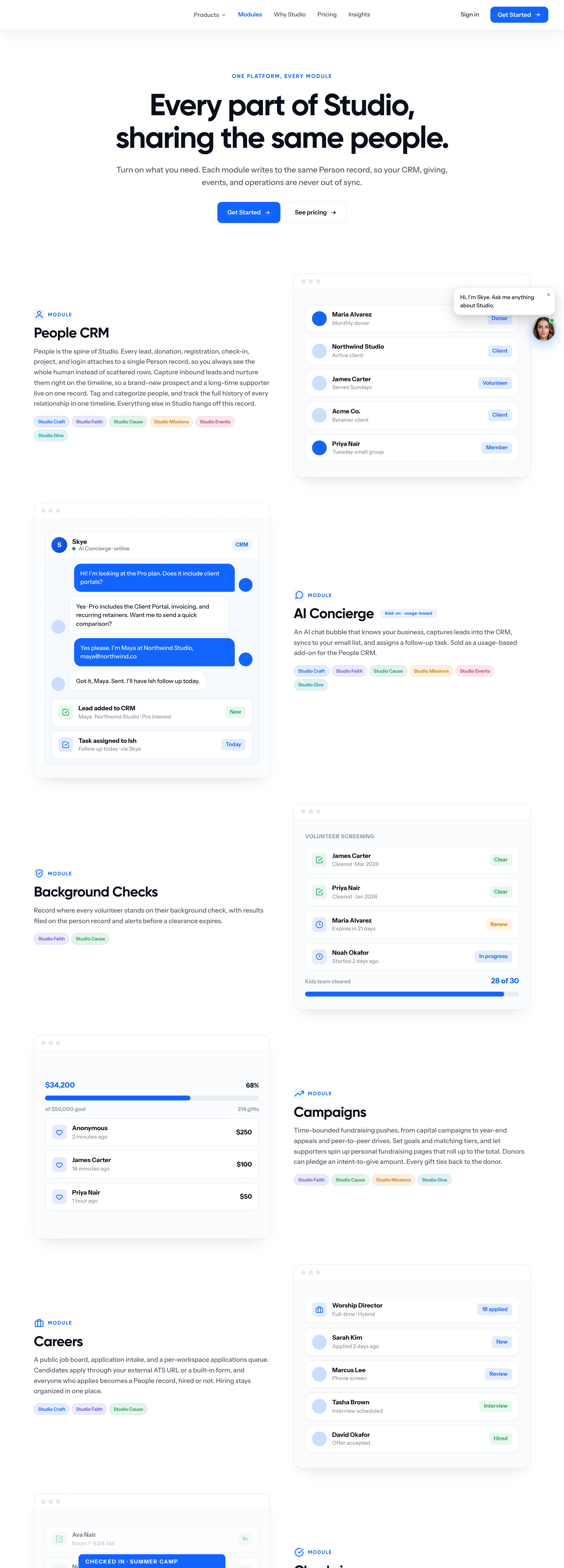
usestudio.app/modules
Modules
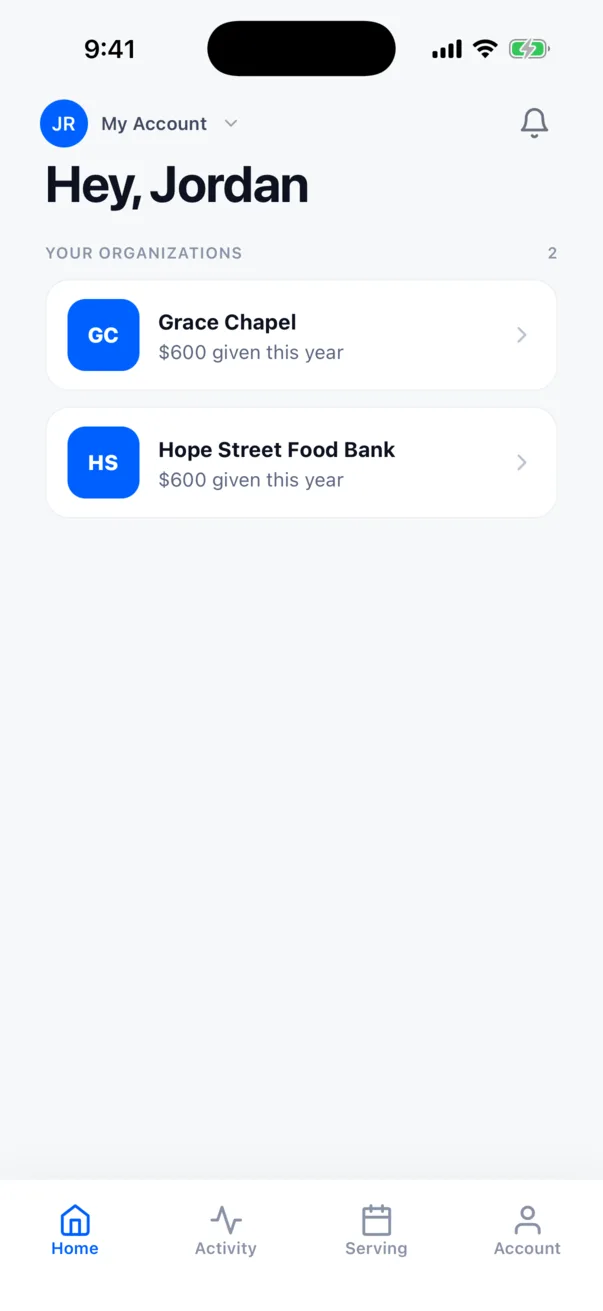
Supporter home on iPhone
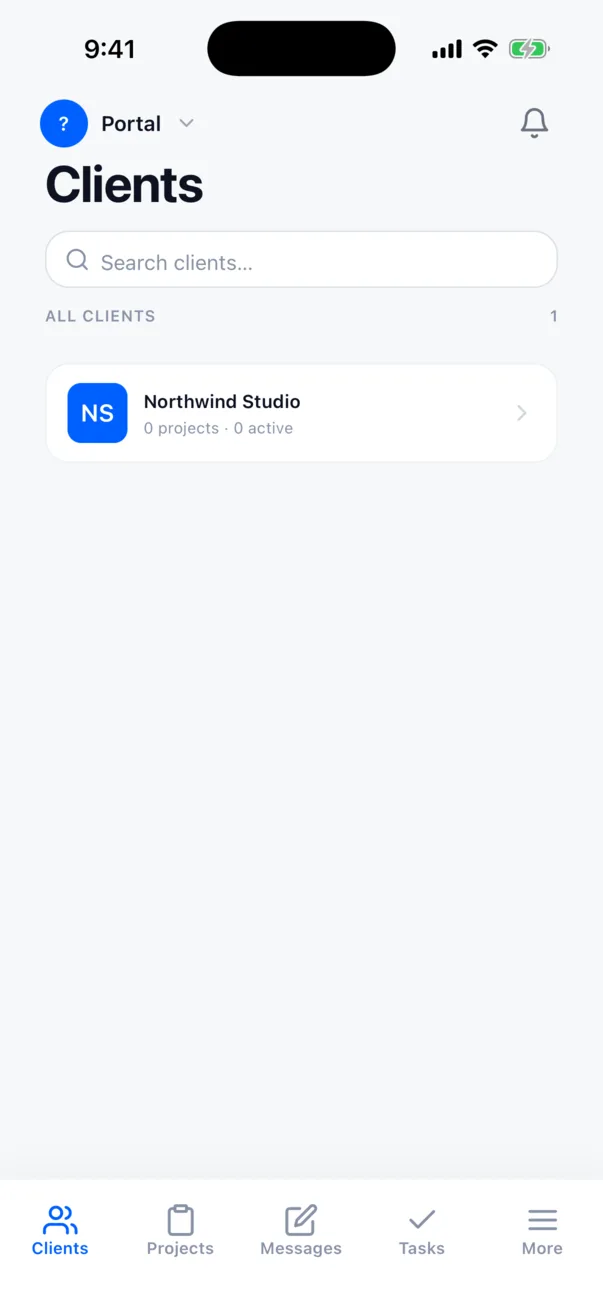
Client portal on iPhone
usestudio.app/ai
Studio with your AI
usestudio.app
The Skye chat open on usestudio.app
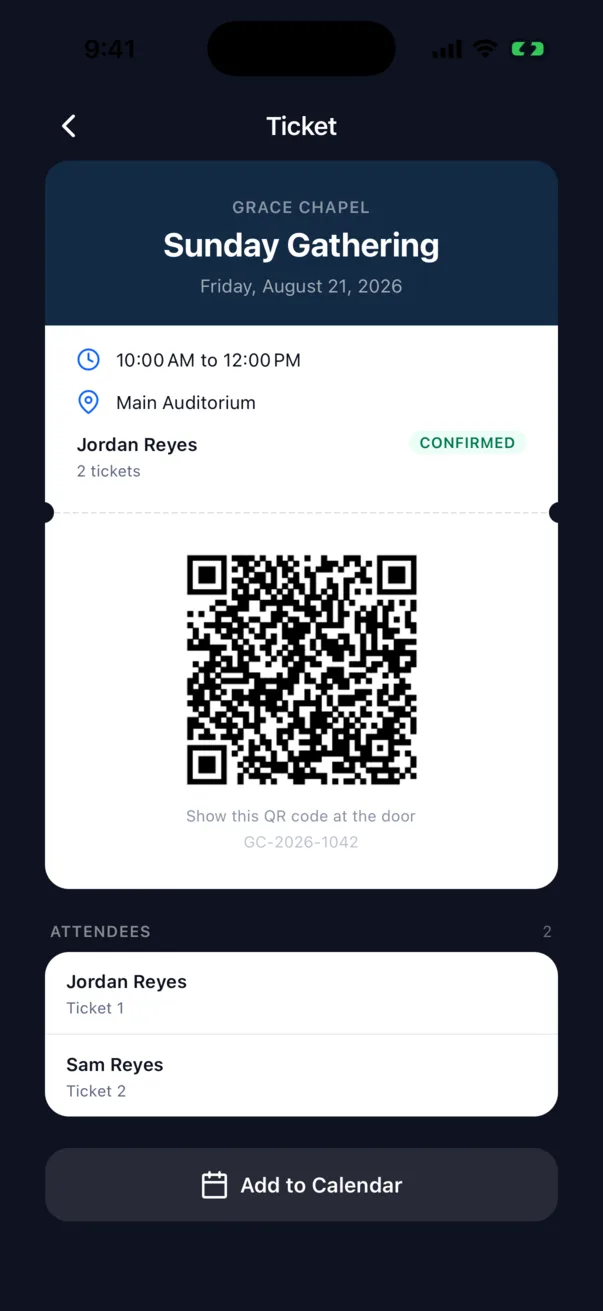
Ticket pass, dark mode
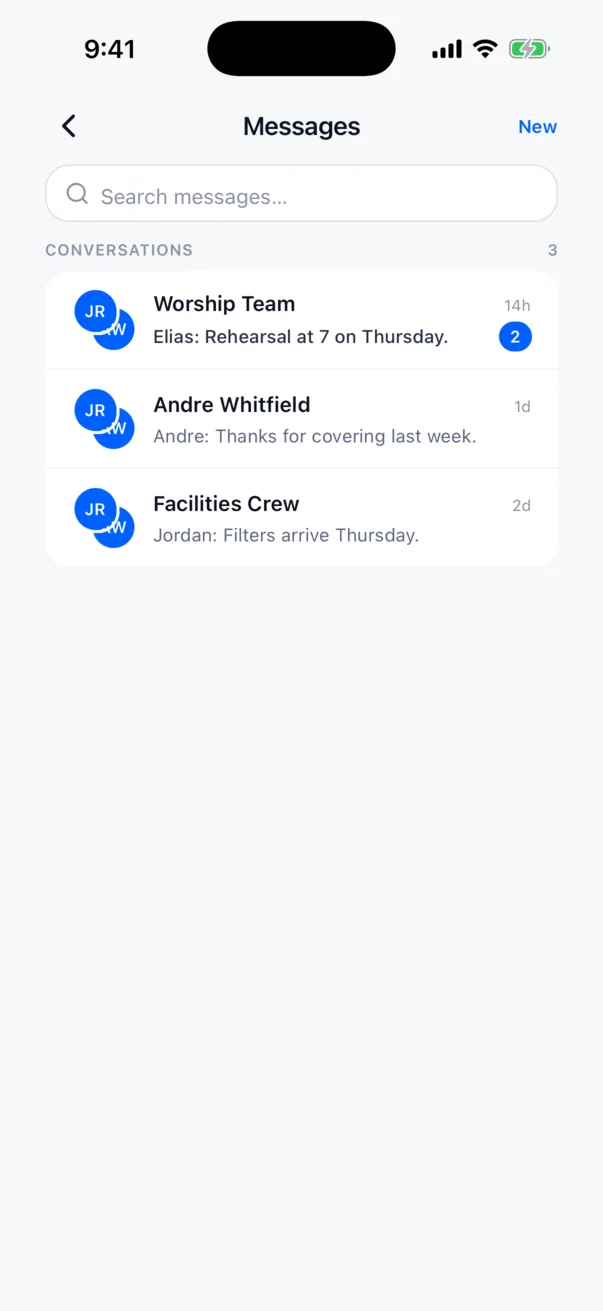
Messages on iPhone
usestudio.app/events
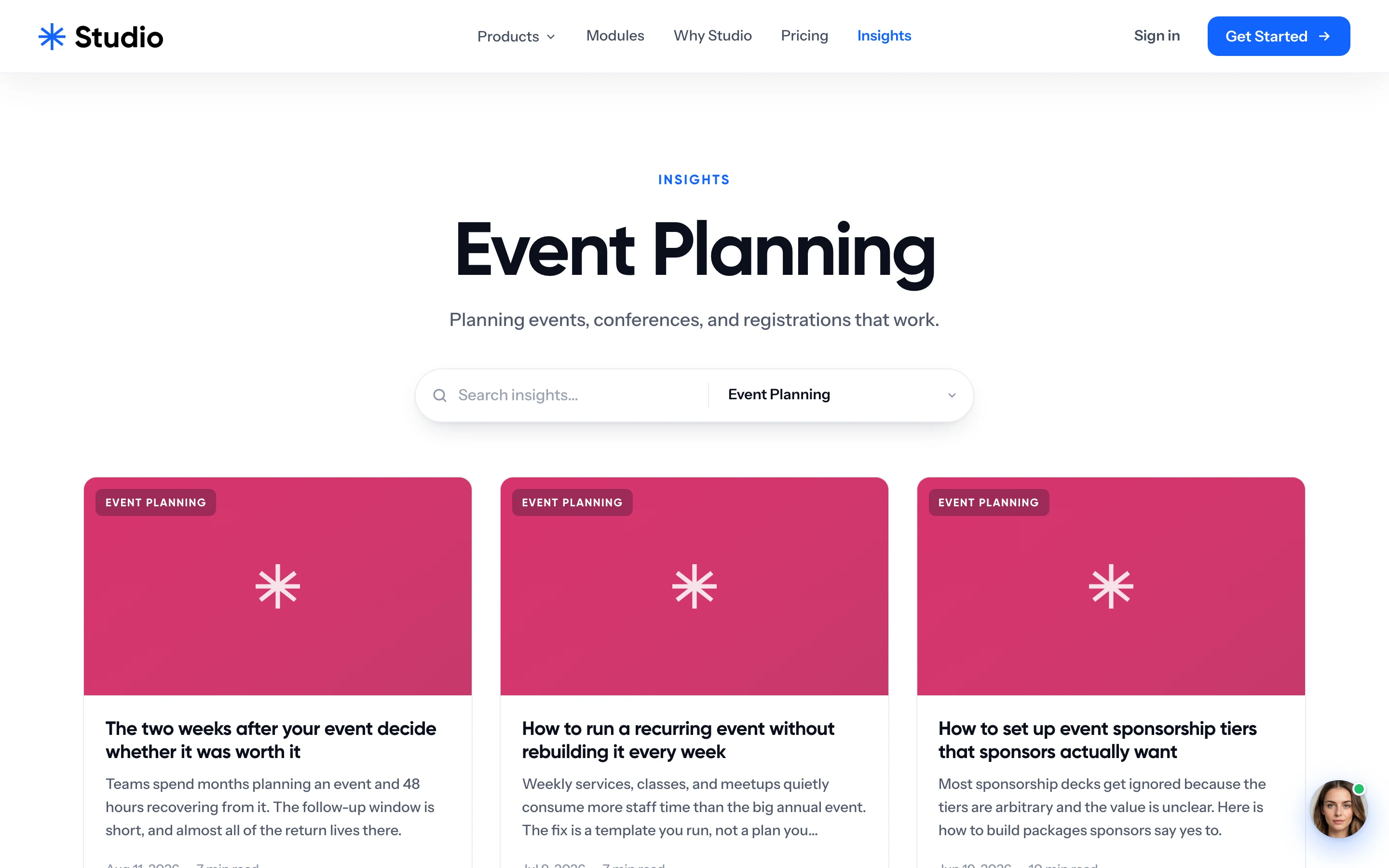
Event planning insights
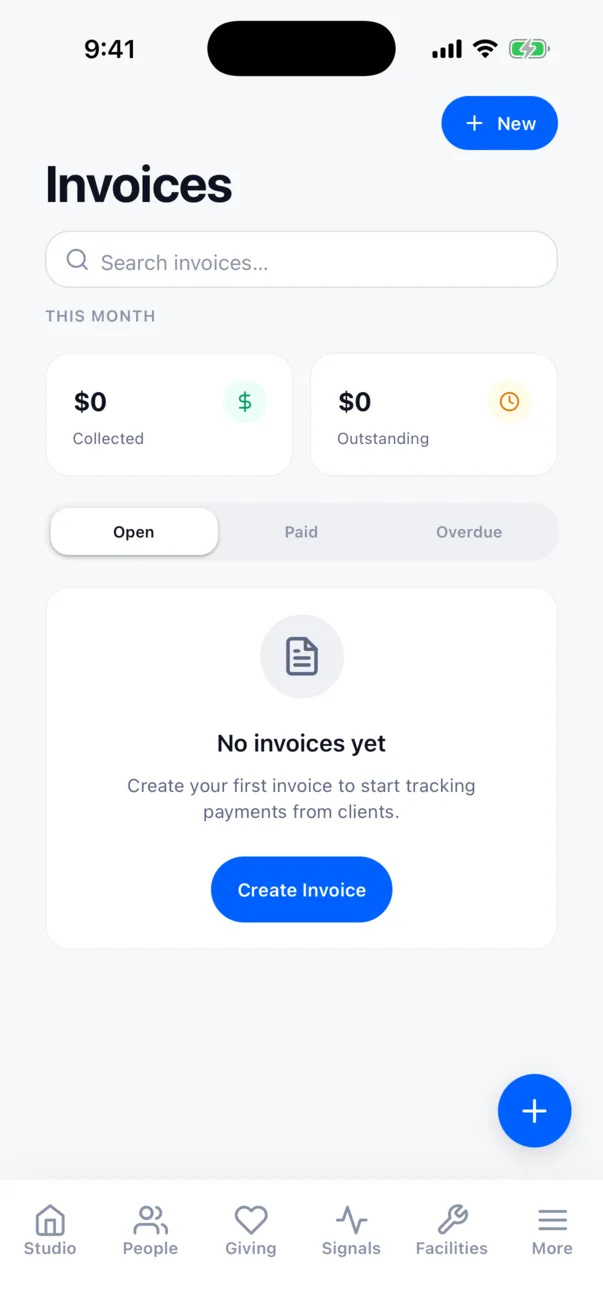
Invoices on iPhone
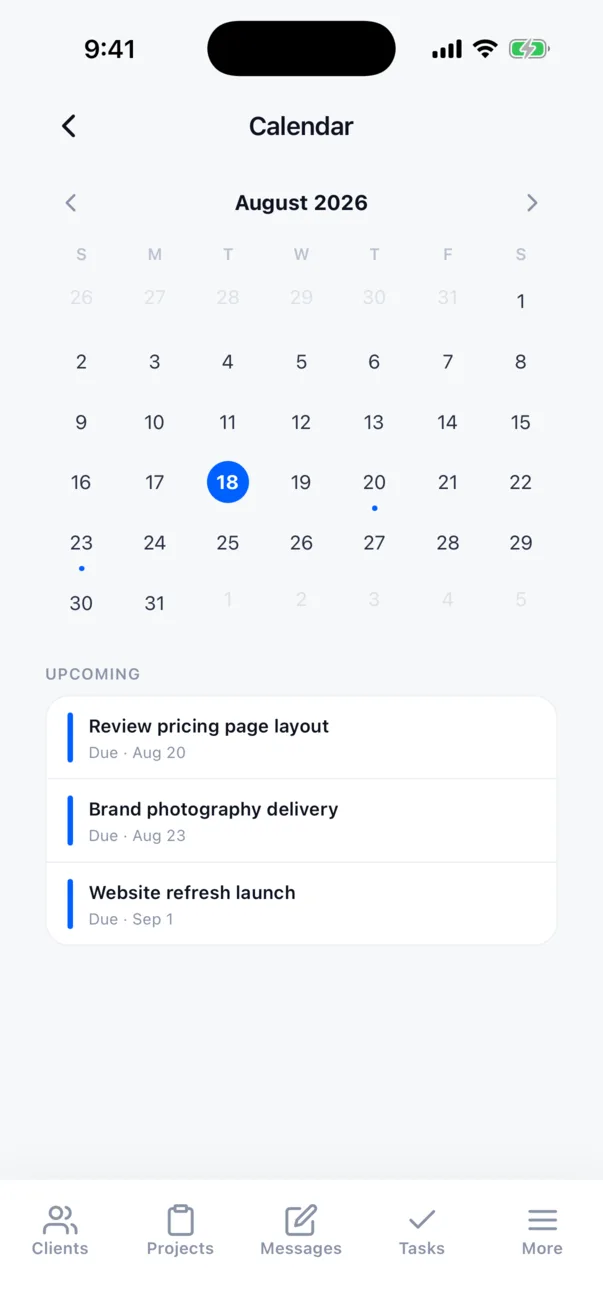
Portal calendar on iPhone
The product

Four things it does every week.

The workspace, giving, check-in at the door, and the AI that runs it from wherever you already work. Every screen below is the real product: usestudio.app, the phone app and the Stations kiosk.

01 · One workspace

Every module writes to the same person.

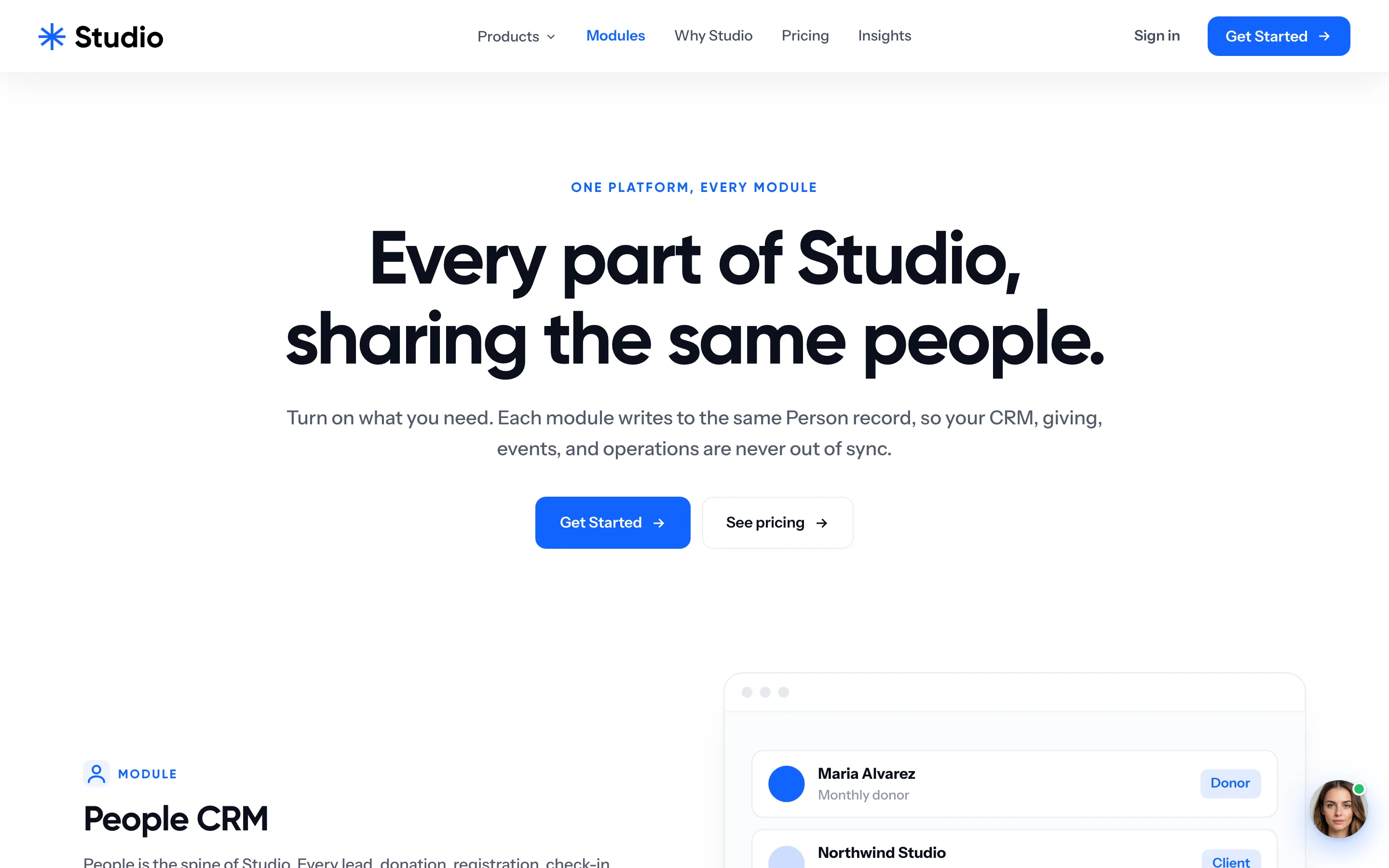
People CRM, projects, time that becomes invoices, a client portal, giving, events, scheduling, email, forms, the website. Turn on what you need; the record stays one record. Stripe Connect and donations landed on April 11, 2026, events with QR check-in the next day.

usestudio.app/modules
usestudio.app modules page, scrolling: every part of Studio sharing the same people
02 · Giving

Recurring gifts, funds and campaigns, into their own Stripe account.

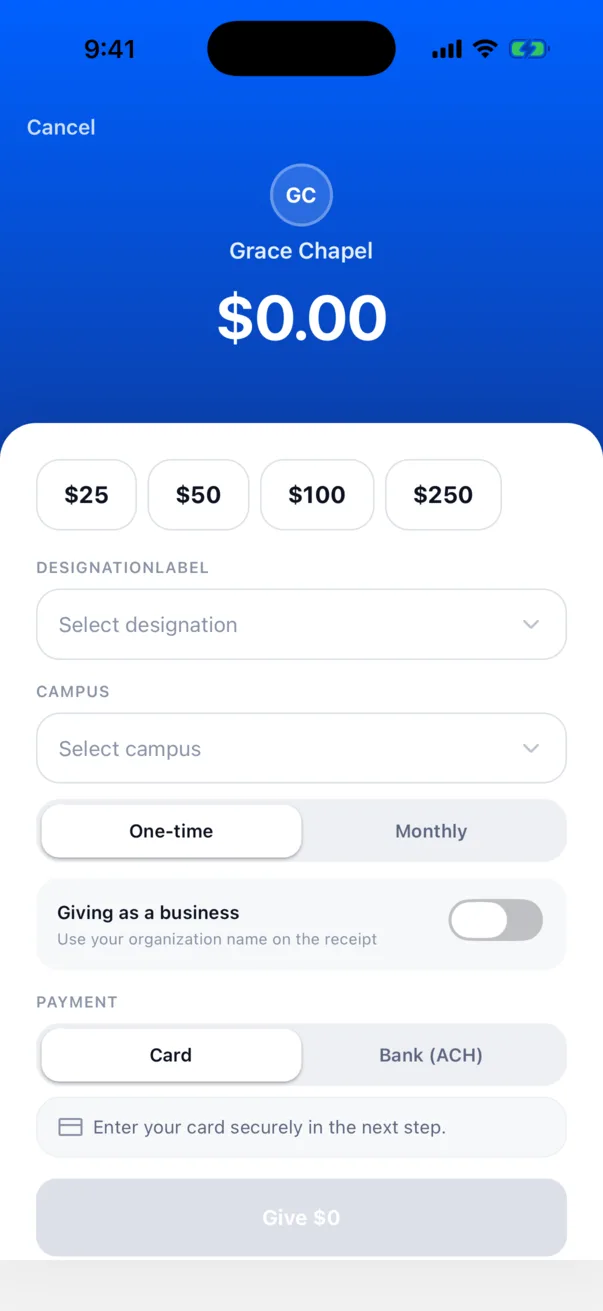
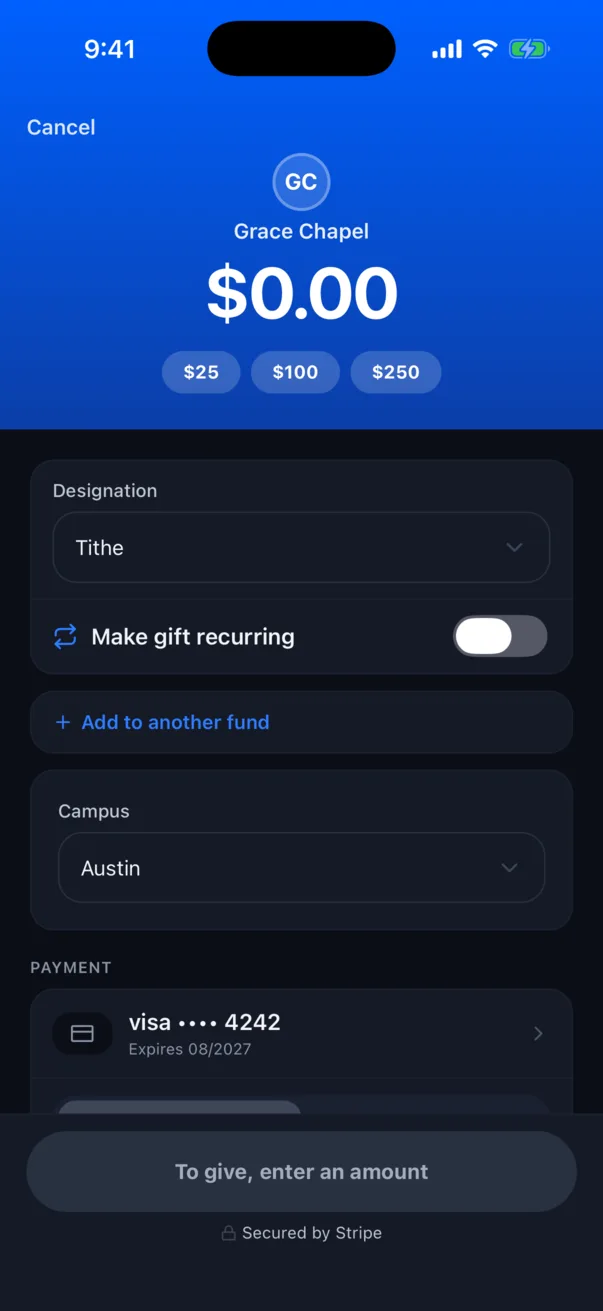
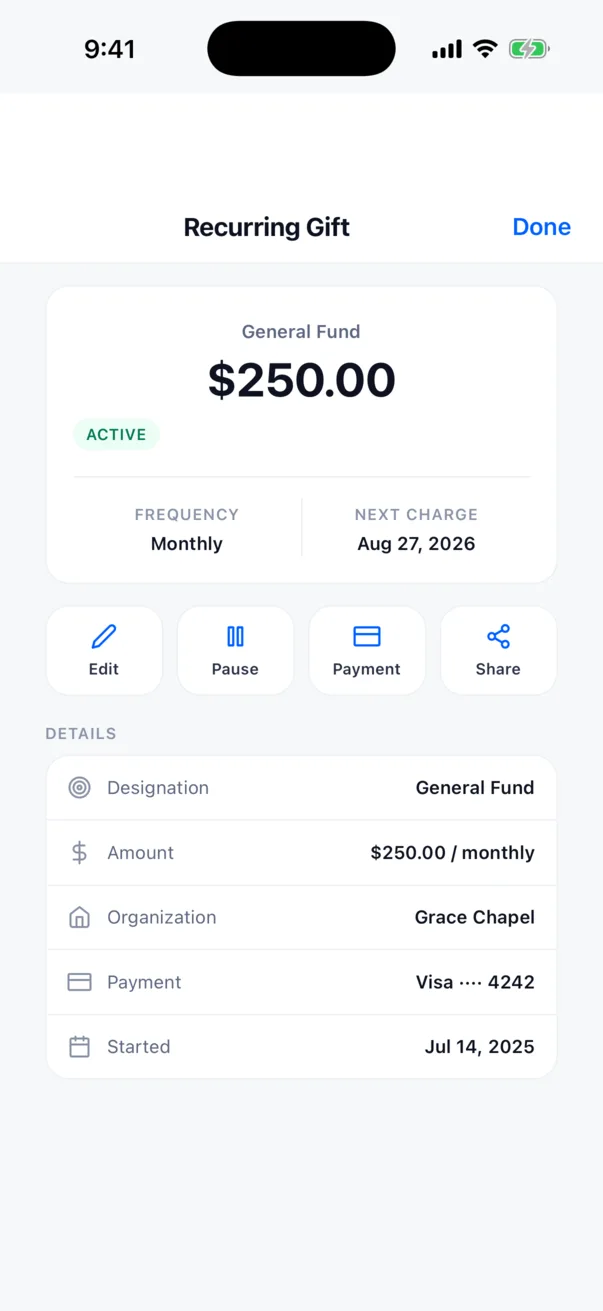
Donors give from a page, a text link or the app, pick a fund, set it monthly, and get a receipt. The money goes straight to the organization's Stripe account; Studio never holds it. Light and dark follow the phone.

Studio for iPhone
Donate page, light mode: amount, fund, one-time or monthly
Donate page, dark mode: a $100 gift, make it recurring
A recurring gift: $250 monthly to the General Fund
03 · Check-in · Studio Stations

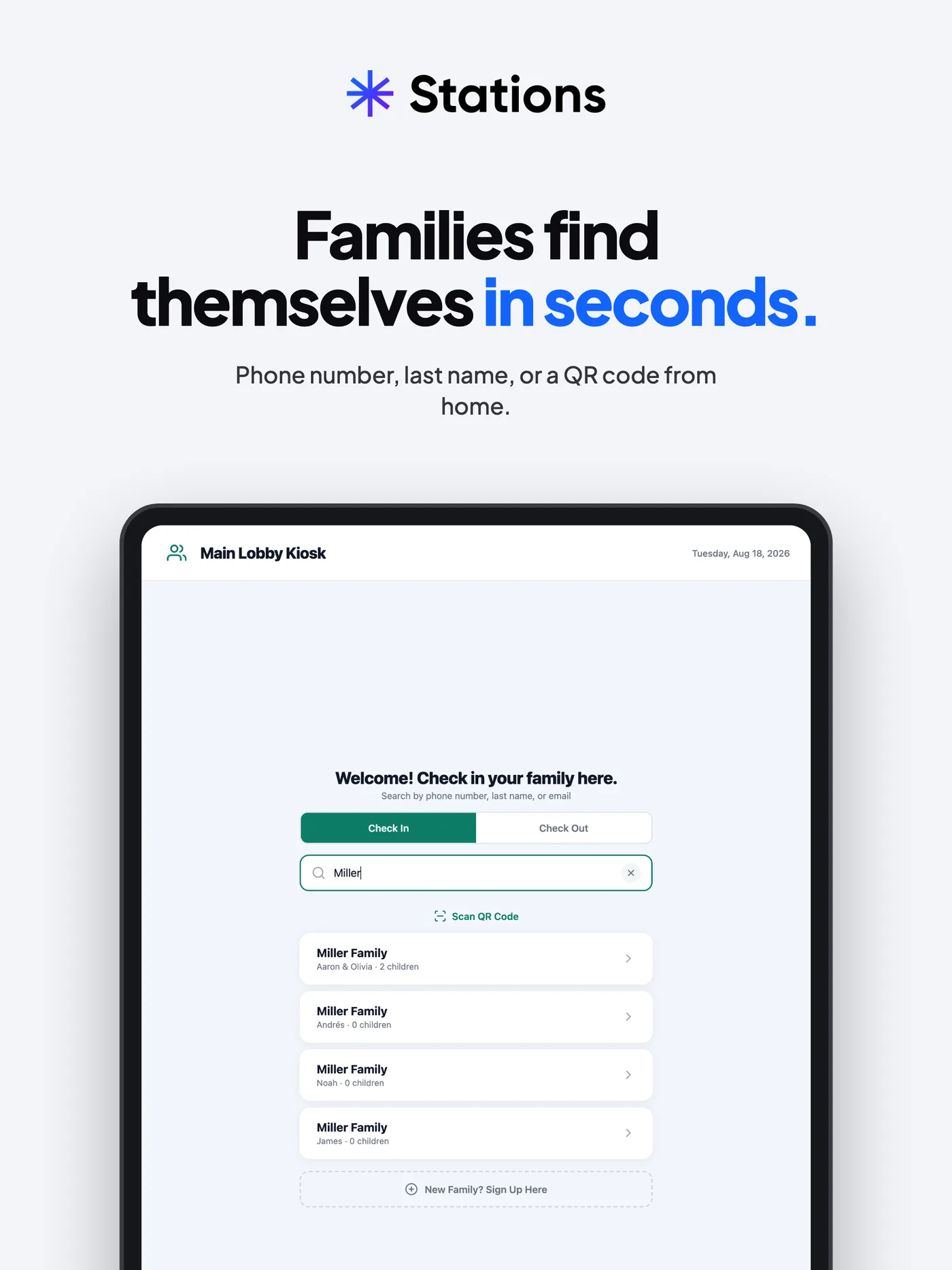
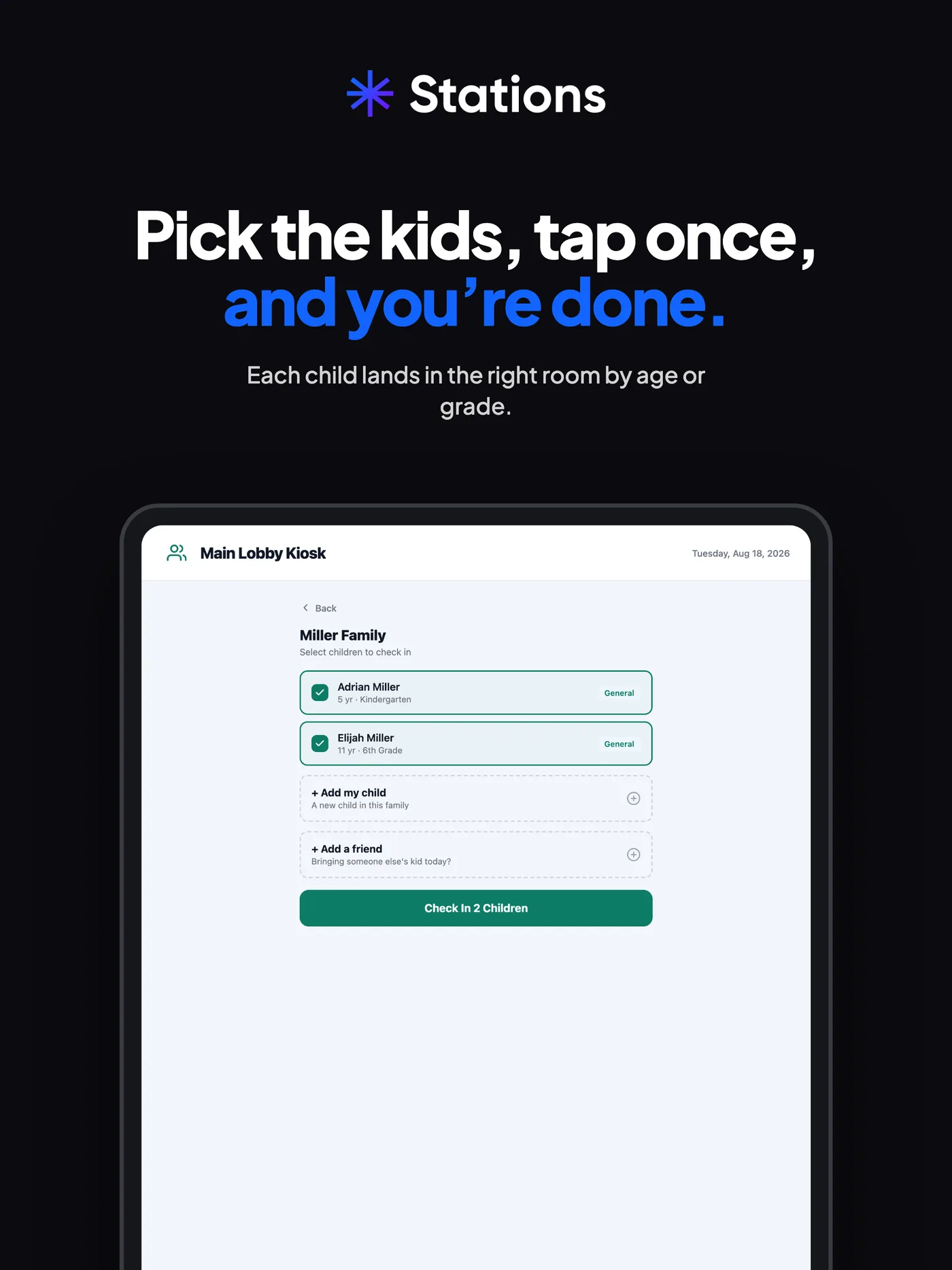
At the door: find the family, tap the kids, print the tags.

  1. 01Find the familyBy phone number, last name or a QR code from home.
  2. 02Pick the kidsTap once. Each child lands in the right room by age or grade.
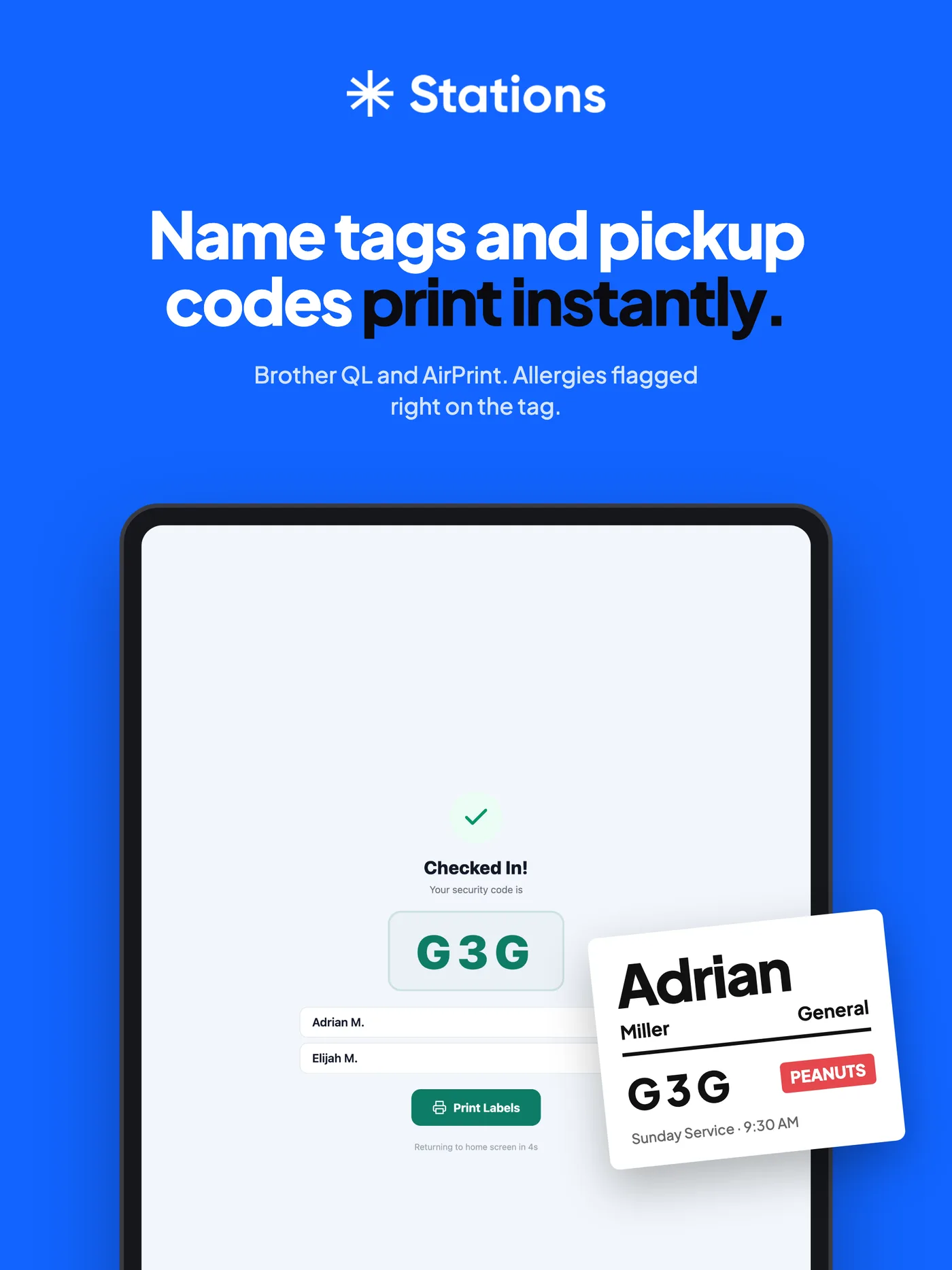
  3. 03Tags printName tags and pickup codes print right away, with allergies flagged. Browsers cannot print silently, so Stations is its own app, printing to Brother label printers.
Stations kiosk: welcome, check in your family here, searching Miller Stations kiosk: the Miller family, pick the kids Stations kiosk: checked in, security code G3G, the printed tag
04 · Skye and your AI

Skye answers the website. Your own AI runs Studio through 400+ tools.

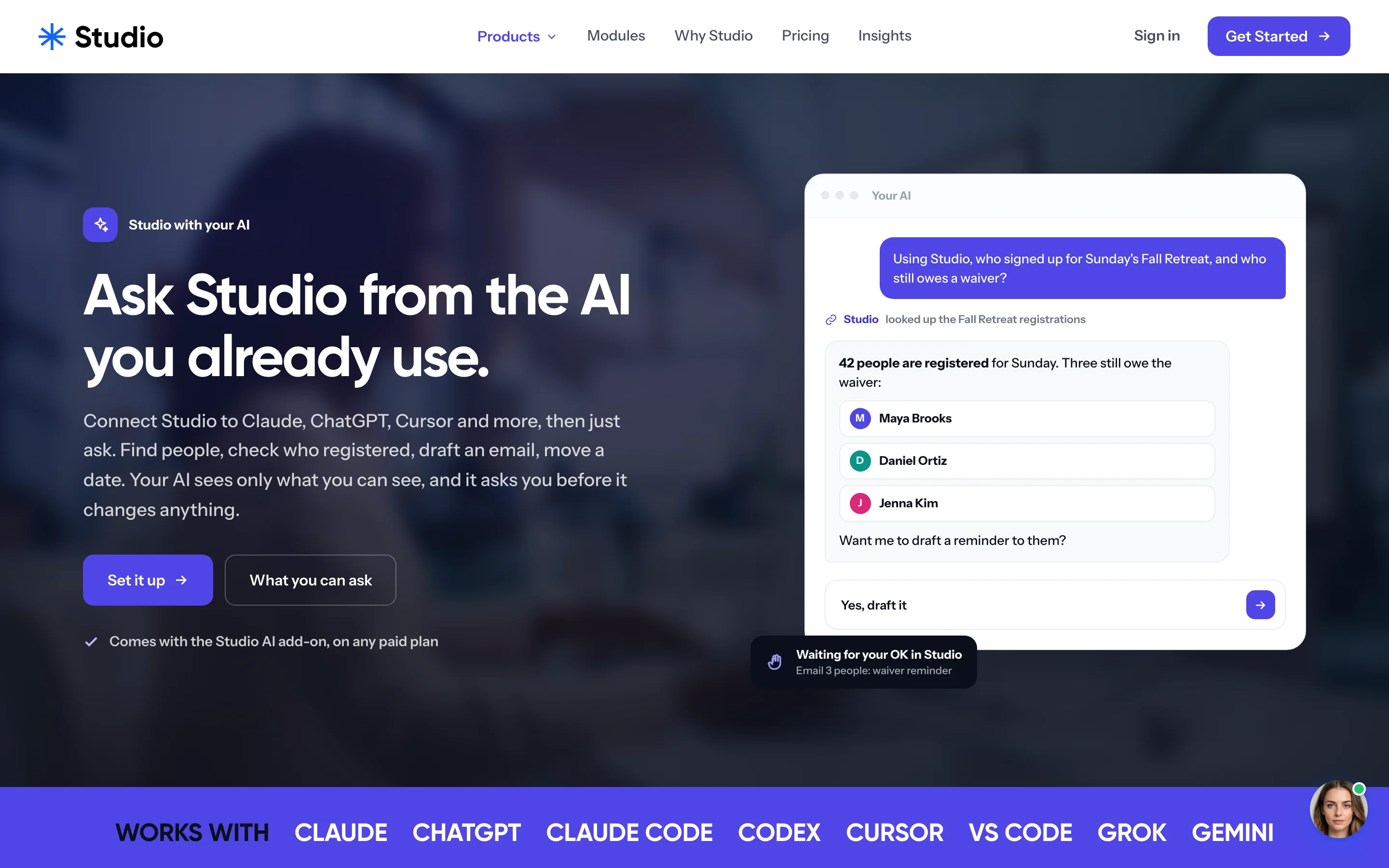
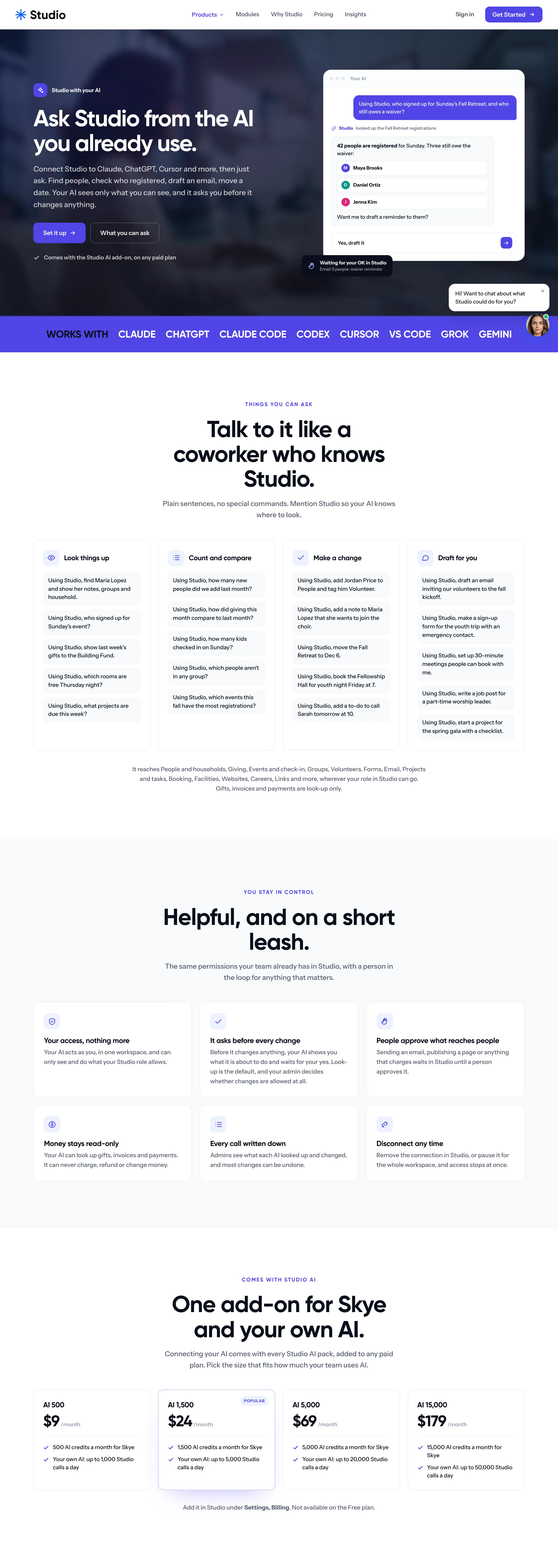
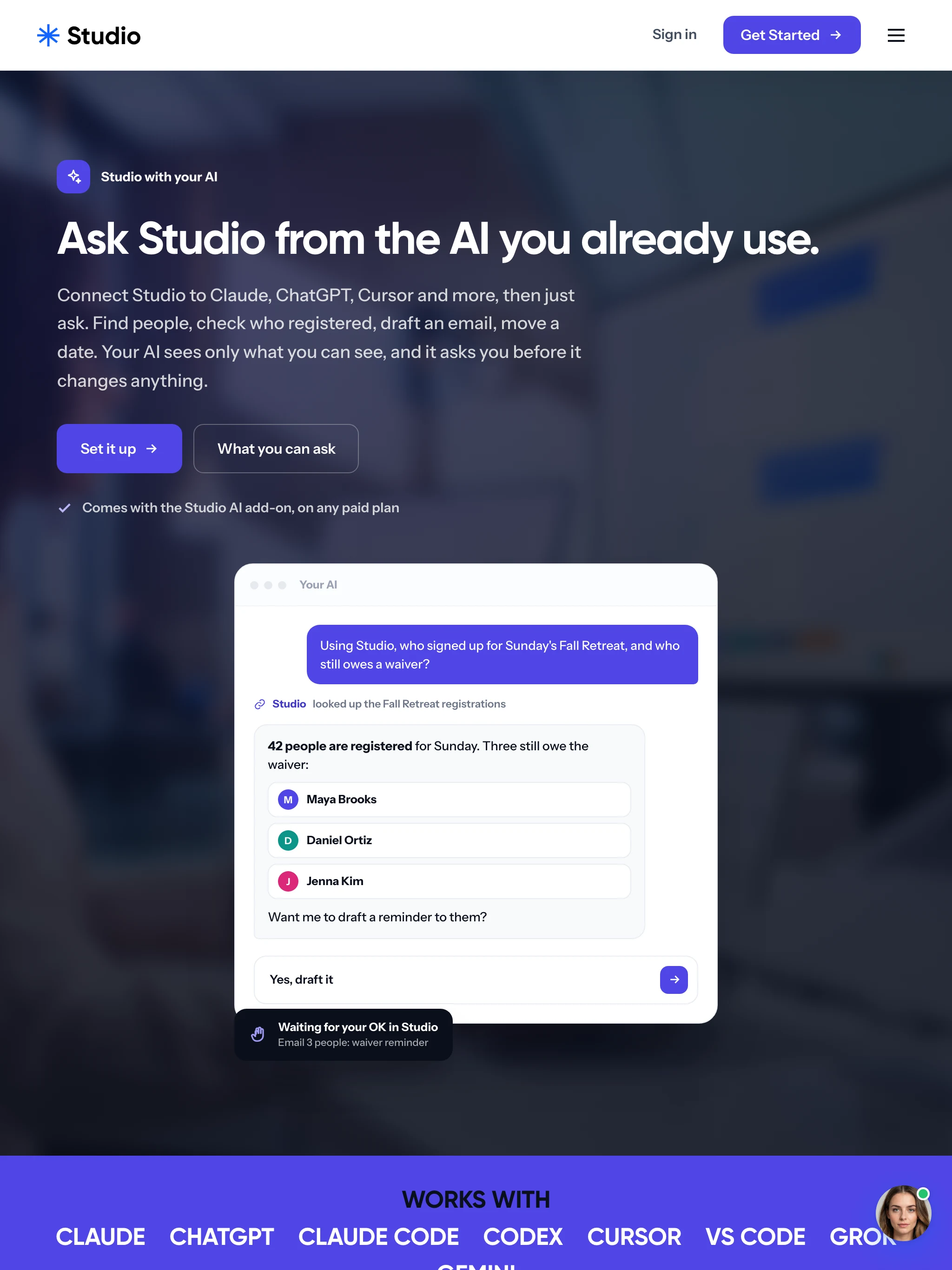
Skye is the concierge on usestudio.app: it answers, qualifies and captures the lead. MCP connects Claude, ChatGPT, Cursor and more to the same 400+ tools across 36 areas, live since October 22, 2026, with 4,021 tests behind them. Your AI sees only what you can see, and asks before it changes anything.

usestudio.app/ai · the Skye chat
usestudio.app/ai
usestudio.app/ai, scrolling: ask Studio from the AI you already use
Waiting for your OK in StudioEmail 3 people: waiver reminder
Everywherelaptop · iPad · iPhone
usestudio.app
usestudio.app, scrolling
usestudio.app · laptop
Studio with your AI, on an iPad
Studio with your AI · iPad
usestudio.app on an iPhone, scrolling
usestudio.app · iPhone
Built to run

One Laravel monolith, deployed on every push, run and supported by us.

  • Web appA server-rendered Laravel monolith

    About 1,230 Blade views, 321 controllers, 288 services and 318 models, with MySQL, Redis and DigitalOcean Spaces behind them. 270 console commands, 80 of them scheduled. Six separate sign-in guards: team, client portal, donor, ambassador, website editor, mobile. Hosted on Laravel Cloud.

  • AppsReact Native and Expo, twice

    Studio for iPhone, iPad and Android uses NativeWind, Stripe PaymentSheet and Sanctum tokens; a redesign is underway. Studio Stations is a separate kiosk app that prints name tags to Brother label printers silently, which a browser cannot do. Submitted to the app stores in October 2026.

  • Services and testsStripe, Authorize.net, Anthropic, Sentry

    Plus Cloudflare Turnstile for forms and Resend for mail. 5,783 tests run in about 65 seconds in parallel. 8,547 commits since March 17, 2026.

Where it stands

Founding beta. Free to start on any edition.

Studio is open to founding testers: Pro or Max free for three months in exchange for feedback. Craft Pro is $49 a month or $490 a year, Studio+ is $99 and Studio Max is $129; Faith and Cause Pro are $49; Missions, Events and Give Pro are $19. The phone app redesign is underway and Stations is with the app stores.

True numberscounted, not rounded up
  • 0/moCraft Pro, $490 a year; free to start
  • 0+MCP tools in 36 areas
  • 0tools one login replaces
  • 0tests, run in about 65 seconds

Prices from usestudio.app/pricing. Tool and test counts from the Studio repositories, October 2026.

Next case study · 02 / 06blupit.app

blüp

Music, made in the browser. Tap squares or write code. Same track either way, free, nothing to install.

Read the blüp case study →